Help — subscriber account
Everything you can do in your account, step by step. The pictures come from the demo account.
Open the demo account1Your account = your plate number
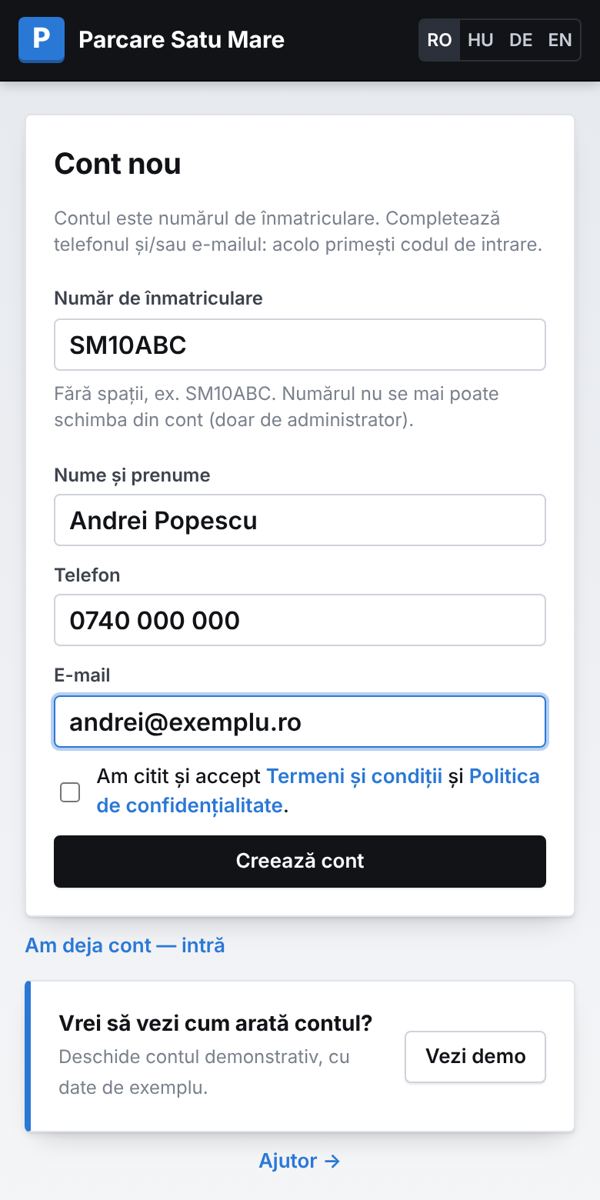
- The account is your plate number (e.g. SM10ABC), without spaces.
- Enter your name and phone and / or e-mail: that is where the login code and invoices go.
- Each car has its own account. Only the administrator can change the plate number.
2Log in with a code, no password
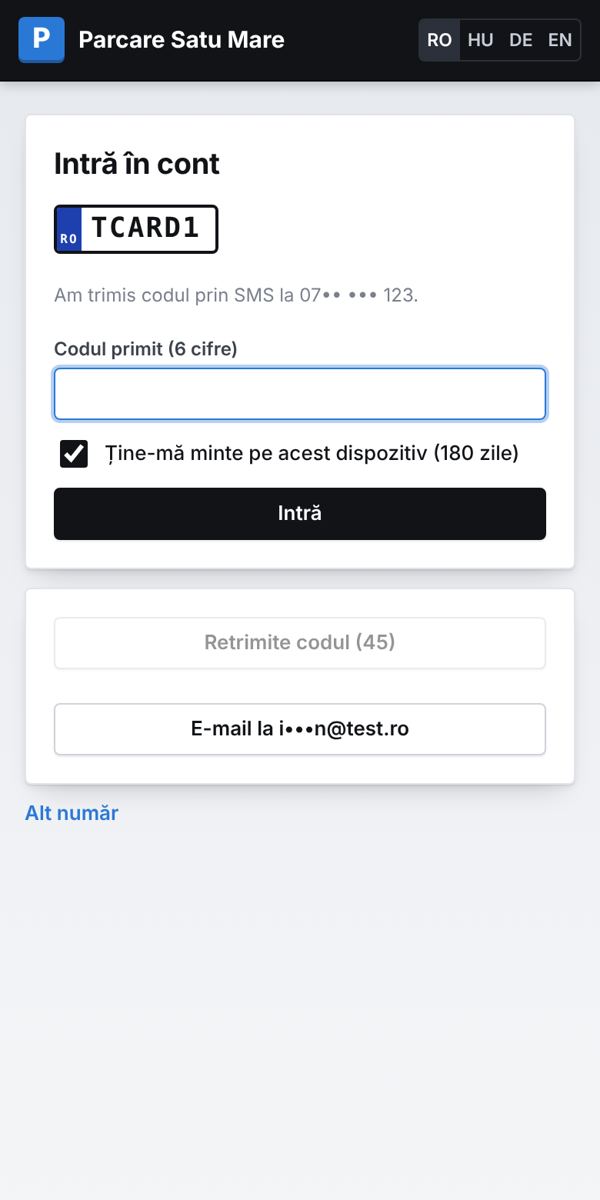
- Type the plate number and choose where to get the code: SMS or e-mail.
- Enter the 6-digit code (on a phone it is often filled in automatically).
- Tick “Remember this phone” — next time you go straight in.
3Home page
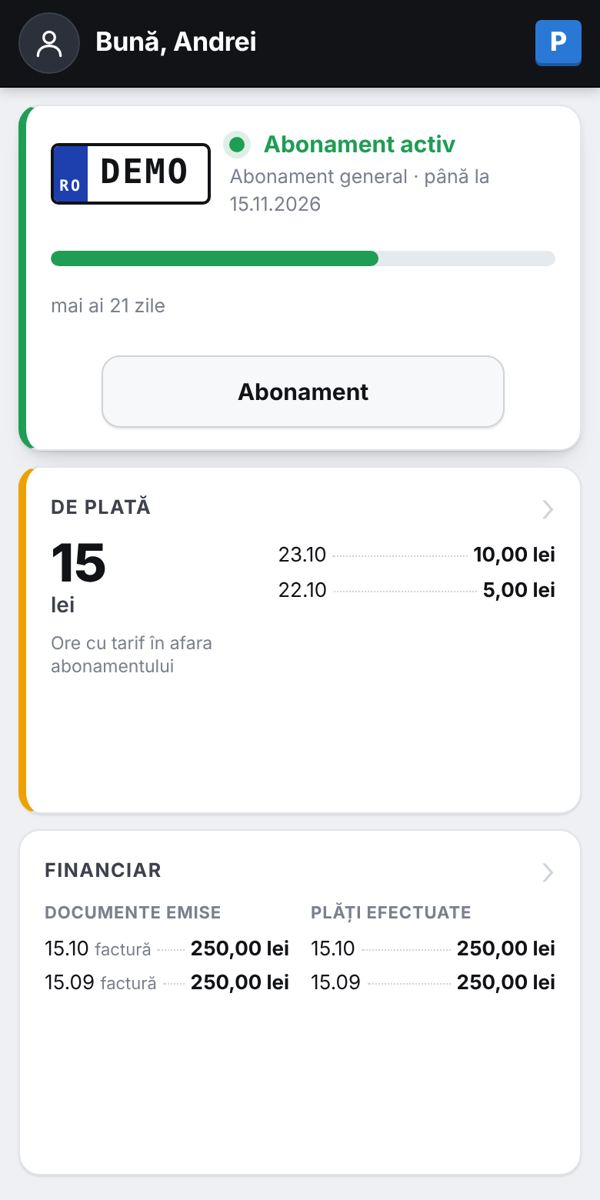
- At the top: „Hello, …” and the profile icon — it opens the menu: Profile, History, Finance, Help and language.
- The car card: your subscription, valid until, and the bar with the days left. Tap it for details and „Extend”.
- The „To pay” card appears only when something is due; the „Finance” card shows the latest documents and payments.
4Buy or extend a subscription
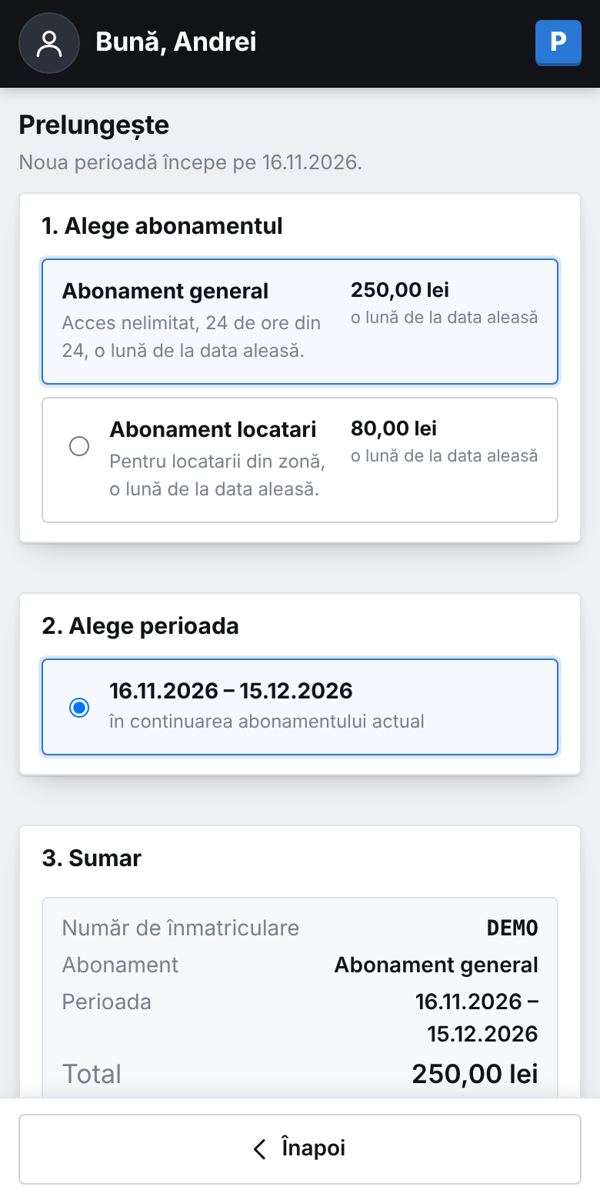
- Choose the type and start date (the monthly subscription lasts one month from the chosen date).
- Check the summary and press “Pay by card”.
- Before the first payment fill in your billing details (name, address, town; personal ID optional) — the invoice is issued on them.
5Paying by card
- Card details are entered only on the Banca Transilvania page; we never see or store them.
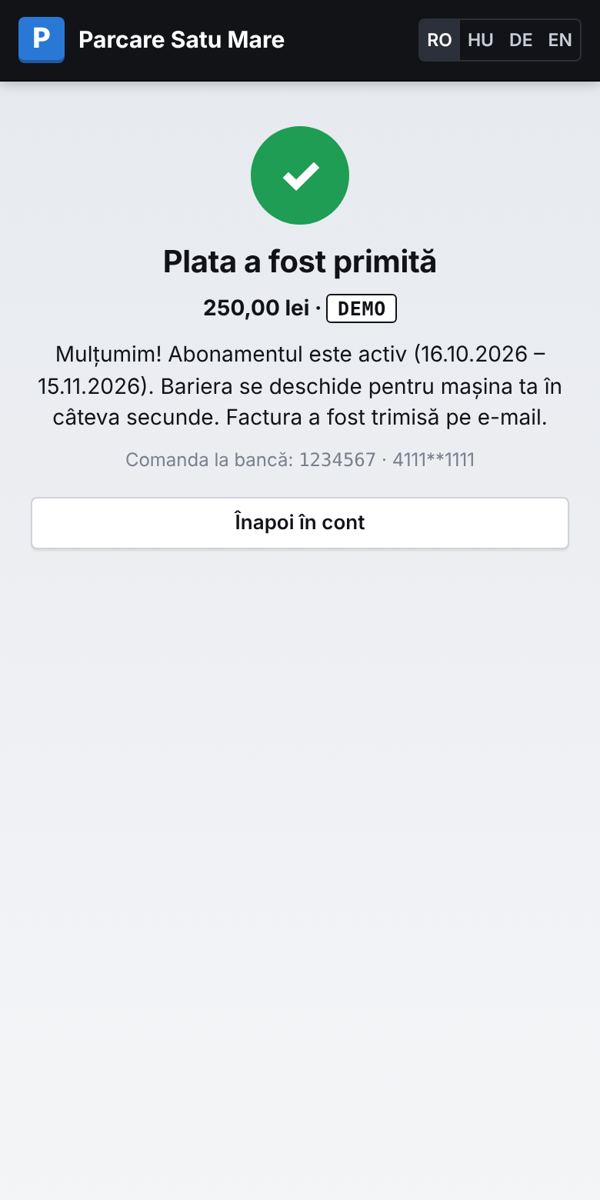
- After paying you come back to the site: the subscription is active immediately and the barrier opens for your car within seconds.
- The invoice is e-mailed and is in your account. If a payment is declined you see the reason from the bank.
6Amount due: paid hours
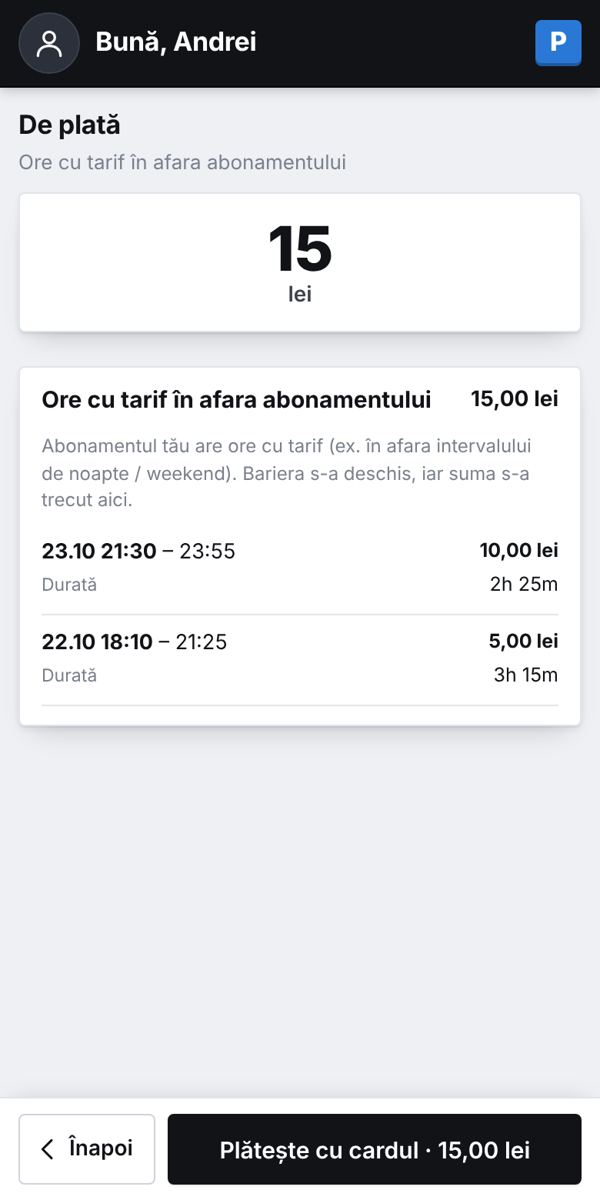
- If you park outside the hours included in your subscription, those hours are charged by tariff and added up in your account.
- The home page then shows the „To pay” card with the amount and days; tap it and press „Pay by card” at the bottom.
- An amount due does not lock the barrier.
7Entries and exits
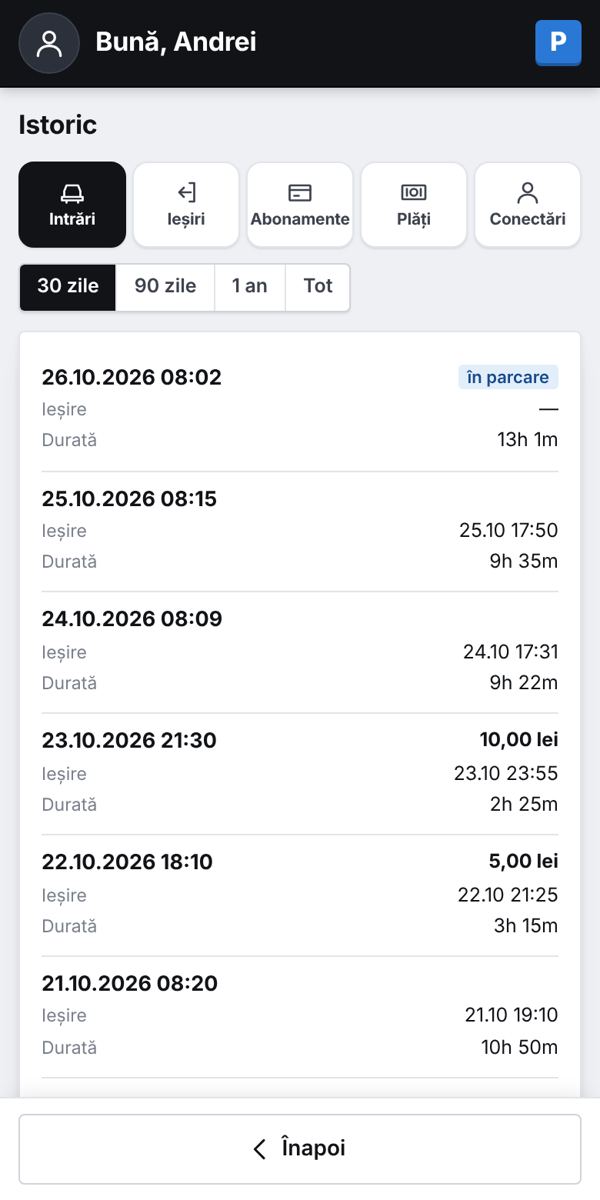
- Profile menu → History: Entries, Exits, Subscriptions, Payments and Sign-ins.
- For entries and exits you see time, duration and cost — 30 or 90 days, a year or everything.
- Sign-ins lists every login to your account; if one is not yours, change your password and remove phones in Profile.
8Invoices
- The „Finance” card (or menu → Finance): issued documents and payments made.
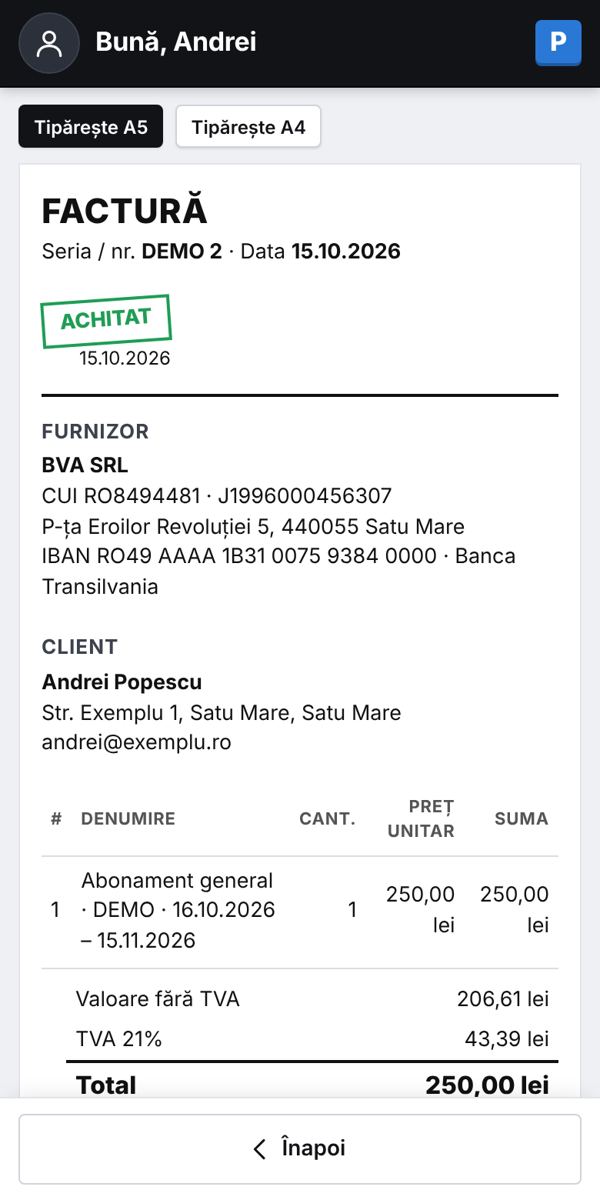
- Open a document with one click: „Print A5” or „Print A4” — or save as PDF.
- The invoice also shows the payment details (card or bank transfer).
9My details
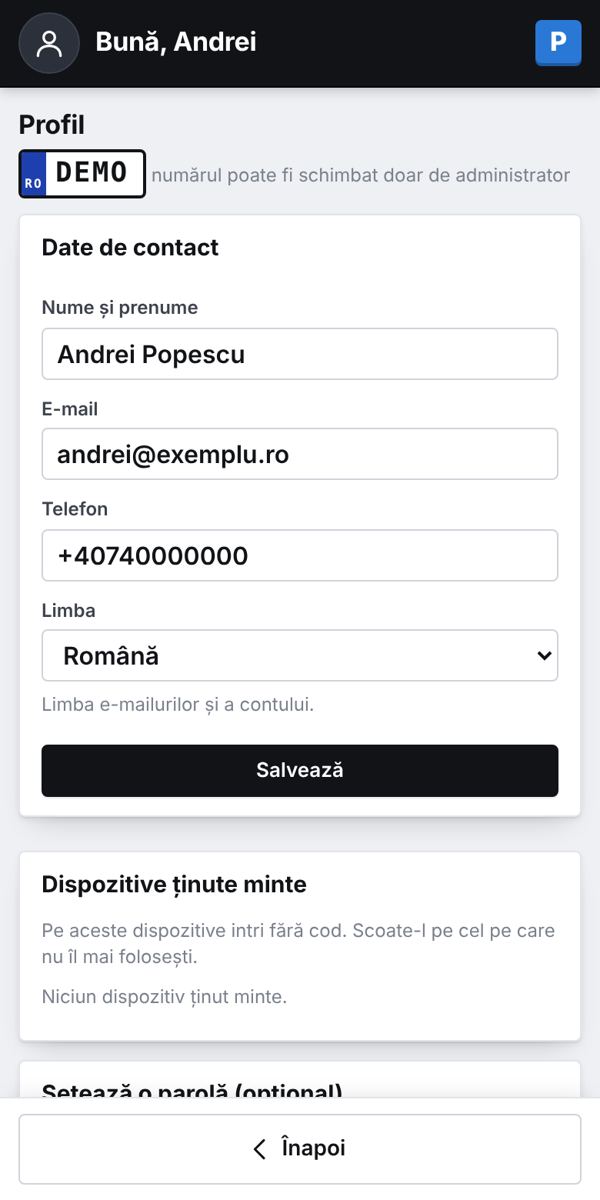
- Profile icon (top left) → Profile: name, phone, e-mail and language.
- Billing details: private person or company — for a company enter the tax ID and details are filled from ANAF.
- See remembered phones and remove them at any time.
?Frequently asked questions
The barrier does not open.
Check in your account that the subscription is active and that the plate is clean and readable. If it still fails, call us: 0732 000 732.
I changed my car.
Write to info@parcare.sm or call 0732 000 732: we move the subscription to the new plate.
I have two cars.
Each car has its own account (by plate number). You can use the same phone / e-mail.
I do not get the code.
Check the phone / e-mail in your account and the Spam folder. Try the other option (SMS or e-mail) or “Log in with password”.
Need help? Call 0732 000 732 or write to info@parcare.sm. 0732 000 732